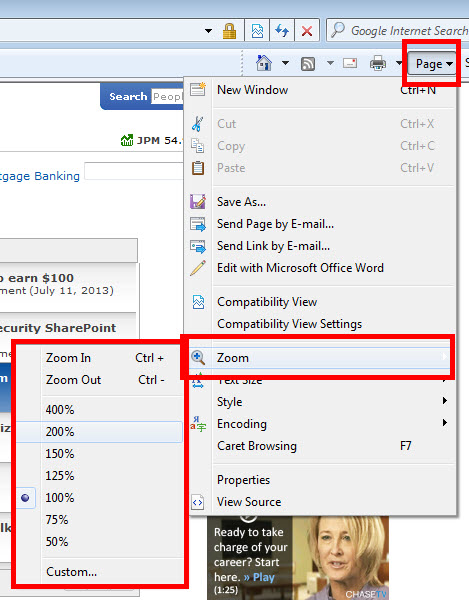
Jack - The fonts haven't changed. Your eyes have. HOWEVER, you can adjust your browser to "zoom" in and display the text here in a larger format. In IE, you can select Page, Zoom, and then select the level of zoom. The same is true in most other browsers, although the menu option name may be different.
Likewise... on your keyboard... press and hold the CTRL key, then press the + (plus) sign or - (minus) sign to automatically zoom in or out and make the text larger or smaller as needed.
:puff:
Jack: it's all a big conspiracy that is meted out on us as we get older. The younger generation is obviously reducing the size of all fonts to support the eyeglass industry.